
Video Trimmer Workflow For Long Videos, Webinars, And Interviews
A useful video trimmer workflow starts with understanding the long source, then turns the strongest moments into clean clips for social, sales, and education.
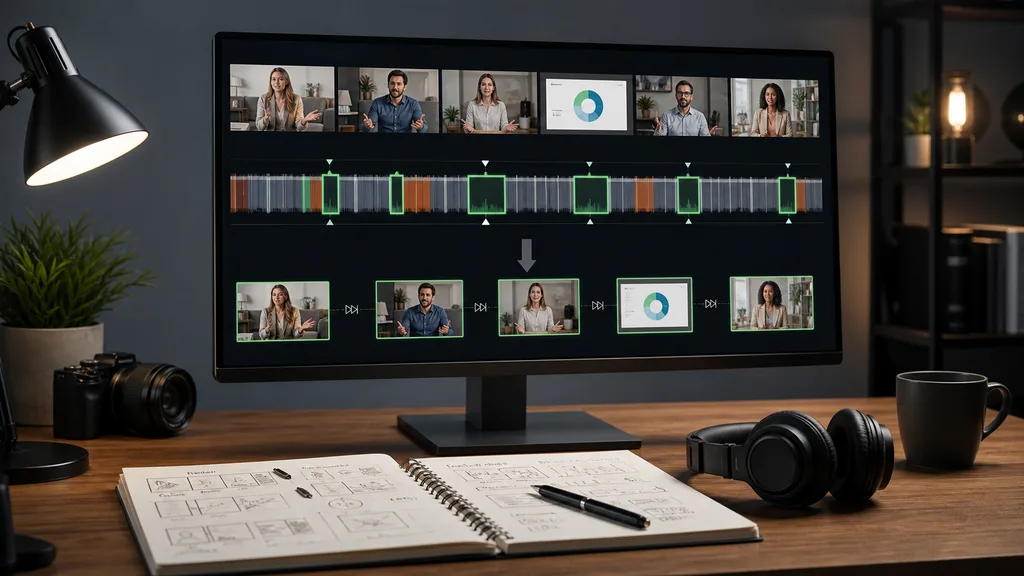
A video trimmer sounds like a simple tool: set an in point, set an out point, export the clip. That is fine when you already know the exact moment you need. It is much harder when the source is a 60-minute webinar, a long interview, a course module, a livestream, or a folder of product recordings. In those cases, trimming is not just cutting. It is deciding what deserves attention, how much context the clip needs, where the hook begins, and which version should be exported for each channel. The best workflow starts before the trim handles appear.
1. Identify the purpose of each clip
Do not start by cutting random highlights. First decide what the trimmed clip should do. A social clip needs a fast opening and a clear payoff. A sales clip needs proof and context. A support clip needs accuracy and a clean sequence. A founder update may need personality more than polish. Purpose changes where you start and stop the trim.
- Social clips can open later if the first sentence is slow.
- Sales clips often need one extra line of setup before the proof.
- Support clips should preserve steps even if the pacing is slower.
2. Use AI to find candidate moments
Manual trimming is slow because you have to watch or scrub the whole source. ClipMind uses video understanding to summarize scenes, dialogue, speakers, objects, and story beats. The reverse script gives you candidate sections before you open the timeline. You can scan for strong claims, useful demonstrations, objections, questions, or visual changes, then move into trimming with a shortlist.
3. Trim around meaning, not only silence
Silence detection can remove dead air, but meaning does not always align with silence. A quote may need the preceding question. A product screen may need the transition that explains what changed. A reaction shot may give the clip its emotional signal. Good trimming keeps enough context for the viewer to understand the point without forcing them to watch the entire source.
4. Build a clip bank from one source
Long recordings usually contain more than one useful output. A single webinar can produce a problem statement, a proof clip, a product walkthrough, a customer question, and a closing CTA. Treat trimming as clip banking. Name each candidate by purpose, keep source references attached, and export only the versions that have a clear use. The unused candidates may still become useful in the next campaign.
- Group clips by audience and funnel stage.
- Keep alternate hooks for A/B testing.
- Save strong visual moments even if the first export is transcript-led.
5. Adjust framing after the story is clear
Cropping and aspect ratio matter, but they should not lead the process. First choose the moment and story. Then decide whether the clip should be 16:9, 9:16, or 1:1. A vertical social cut may need tighter speaker framing, larger captions, and fewer side-by-side visuals. A landing page clip can keep more screen detail. Context-first trimming avoids beautiful clips that do not communicate.
6. Review before exporting every variant
Before export, watch the clip as a viewer who has not seen the source. Does the opening make sense? Is the claim supported? Are captions accurate? Does the ending stop too abruptly? AI can speed up discovery and first assembly, but the final trim still needs human review. The point is to spend review time on high-value candidate clips instead of hunting through raw footage.
FAQ
What is the difference between a video trimmer and an AI editor?
A basic trimmer cuts known time ranges. An AI editor helps find useful moments inside long source footage, then supports trimming, structure, narration, and export decisions.
Can I trim webinars into short clips with ClipMind?
Yes. Upload the webinar, review the reverse script and scene understanding, select useful beats, then create shorter exports from the approved sections.
How long should trimmed clips be?
It depends on channel and purpose. Social clips often work under one minute, sales proof may need 60 to 120 seconds, and support clips should be as long as the steps require.