
Portrait Size Guide for Video: Aspect Ratios, Pixel Dimensions, and Platform Specs
Understanding portrait size and video dimensions helps you export the right format for every platform without re-editing. Here is what every video creator needs to know about portrait and standard sizes.
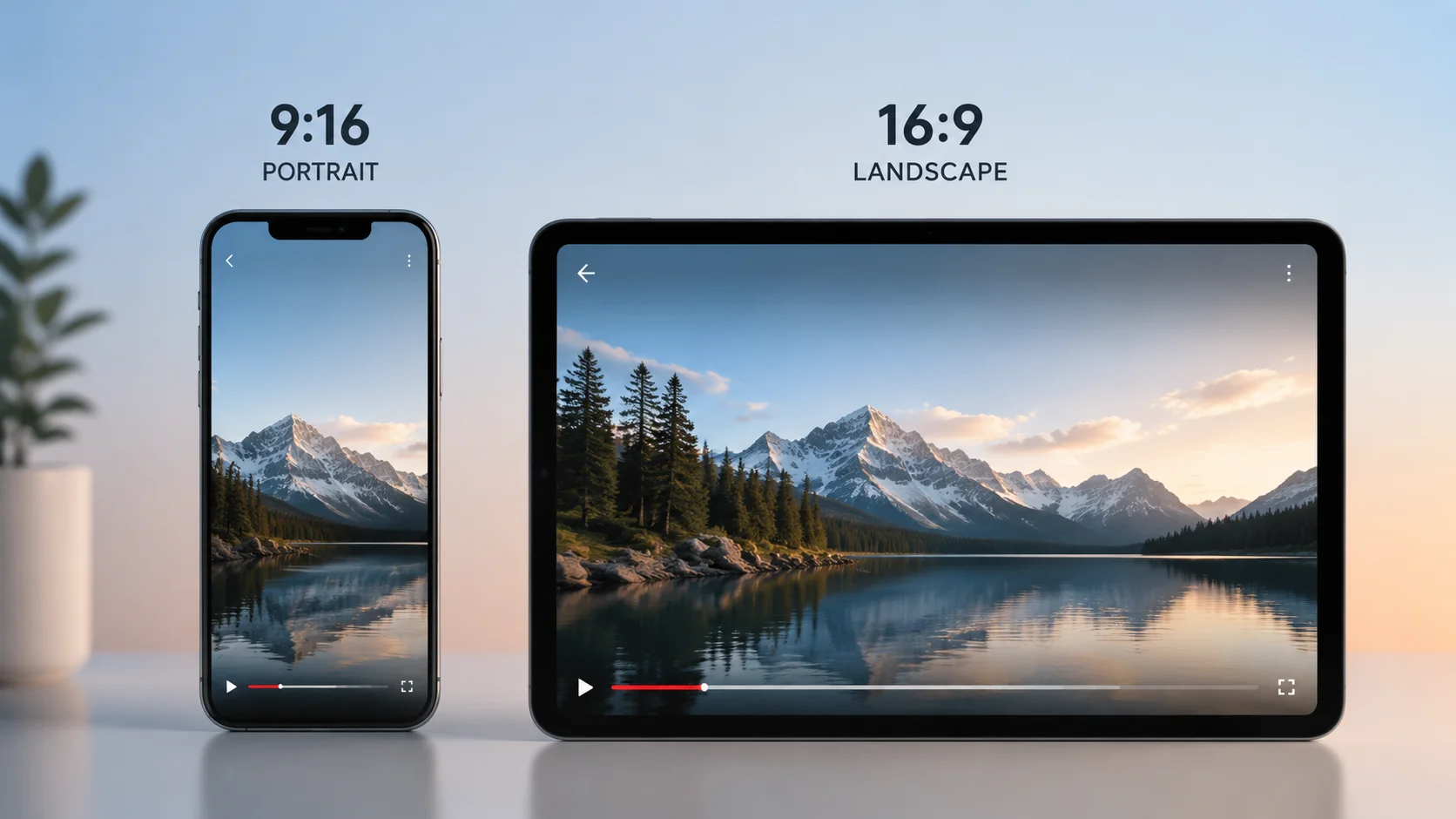
Portrait size comes up in almost every video production conversation, and the answer is almost always more complicated than it first appears. A portrait format for Instagram Stories is not the same dimension as a portrait format for TikTok, and neither is the same as a traditional photographic portrait. If you are editing video for multiple platforms, understanding portrait size, aspect ratio, and pixel dimensions before you export saves significant rework.
1. Portrait vs landscape: the basic distinction
Portrait orientation means the frame is taller than it is wide. Landscape orientation means the frame is wider than it is tall. For video, portrait typically means a 9:16 aspect ratio, where height is 16 units and width is 9 units. This is the native format for mobile recording and vertical-first platforms.
- 9:16 is the standard portrait video format for TikTok, Instagram Reels, and YouTube Shorts.
- 4:5 is a shorter portrait format used on Instagram feed posts.
- 2:3 portrait is common in photography but less common in video production.
2. Portrait size in pixels: common resolutions
Portrait video at 1080p resolution is 1080 pixels wide and 1920 pixels tall. This is the minimum for most platform uploads. For 4K portrait, the dimensions are 2160 by 3840. Some creators shoot in landscape and crop to portrait in post, which works but reduces available resolution when you zoom or reframe.
3. Why portrait size matters for platform reach
Short-form video platforms serve portrait content to users who hold their phones vertically. A landscape video uploaded to TikTok or Reels gets black bars on top and bottom, occupies less screen space, and typically underperforms portrait-native content in the algorithm. If your content strategy includes vertical platforms, portrait size is not optional.
- Portrait fills the full screen on mobile, which increases watch time.
- Landscape on vertical-first platforms loses roughly 60 percent of screen real estate.
- Some platforms automatically crop landscape uploads, which can cut off key visual elements.
4. Exporting portrait video from your edit
Most professional editing tools let you set the sequence or composition to portrait before you start editing. If you are adapting a landscape master cut into portrait, plan your reframing early: check that faces, products, and key visual elements stay inside the vertical safe zone. AI tools that detect scenes and key frames can speed up this check across long projects.
5. Portrait size for still thumbnails and cover images
Platform covers and video thumbnails sometimes require portrait dimensions. YouTube channel art, podcast cover images, and social profile photos often use square or portrait formats. Keep source exports at maximum resolution so you have flexibility to crop for multiple thumbnail sizes without losing detail.
6. Building a multi-format workflow
The most efficient approach is to plan for portrait and landscape from the start of a project, not to treat one as the afterthought. Shoot with enough frame space for both orientations, build your master edit in the format where most of your audience lives, and export alternative versions from the same project rather than re-editing from scratch.
FAQ
What is the standard portrait size for video on mobile?
1080 by 1920 pixels at 9:16 aspect ratio is the standard portrait size for mobile video across TikTok, Instagram Reels, YouTube Shorts, and most short-form platforms.
Is portrait size the same as vertical video?
Yes, portrait and vertical refer to the same orientation: a frame that is taller than it is wide. The most common video portrait aspect ratio is 9:16.
Can I convert landscape footage to portrait without losing quality?
You can convert landscape to portrait by cropping and reframing, but you will lose the pixels outside the cropped area. Shooting at a higher resolution gives you more flexibility to reframe without visible quality loss.