
Online Video Editor For Teams: What Matters Beyond A Timeline
A browser-based online video editor should help teams organize source footage, review decisions, and export variants, not just move clips on a timeline.
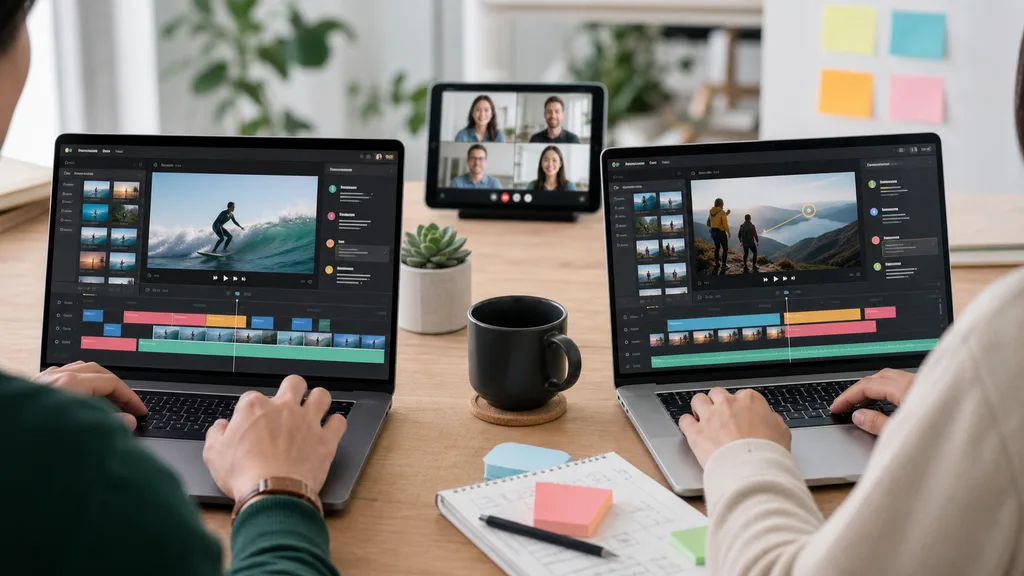
An online video editor is attractive because it removes setup friction. Open a browser, upload clips, make changes, and share the result. For a solo creator making one short clip, that may be enough. For a team, the real question is different: can the editor preserve project context, make review easier, keep source decisions traceable, and support repeated production? The timeline is only one part of the workflow. The stronger system helps the team understand footage before editing, agree on structure, and produce multiple versions without rebuilding the project every time.
1. Browser access is only the beginning
The first promise of an online video editor is convenience. No heavy install, no workstation dependency, and easier handoff between teammates. But convenience can become chaos if source clips, comments, scripts, exports, and brand decisions live in different places. Teams need a workspace that keeps the video project together from upload through export.
- Store source clips, understanding results, scripts, and exports together.
- Give reviewers a clear path back to the exact source moment.
- Avoid rebuilding the same timeline for each requested format.
2. Organize footage before comments start
Review comments are more useful when everyone understands what footage exists. ClipMind scans uploaded videos for scenes, dialogue, key frames, people, objects, and story beats. That creates a shared map before the team starts debating the edit. Instead of asking someone to watch every raw file, reviewers can inspect a reverse script and point to specific moments that should stay, move, or be cut.
3. Make collaboration specific
Most editing feedback becomes expensive when it is vague: make it tighter, find a better example, use something more emotional. A team-friendly online editor should turn those notes into specific options. If the project exposes source references, a producer can suggest replacing one segment with another. A marketer can verify the exact customer quote. A founder can approve the strongest product proof without searching through the original recording.
4. Keep scripts and timelines connected
Many teams write scripts in one document and edit video in another tool. That split creates drift. The script says one thing, the available footage supports another, and the exported video becomes a compromise nobody can easily explain. A better workflow connects the reverse script, narration plan, selected clips, and timeline order inside one project. The edit becomes a living plan based on the actual footage.
- Use the script to guide clip selection, not to hide missing footage.
- Attach narration choices to the version being exported.
- Keep edit history close enough for later re-cuts.
5. Design for repeated output
Teams rarely publish one video and stop. A webinar becomes a recap, five short clips, a sales enablement asset, and a product education snippet. A product demo becomes a landing page video, a vertical ad, and a support walkthrough. The online editor should make those variants cheaper by reusing project understanding and approved segments, not by asking the team to duplicate the entire workflow.
6. Know when to bring in finishing tools
An online editor does not need to replace every specialist tool. Color grading, sound design, complex motion graphics, and brand campaigns may still need dedicated finishing. The practical split is to use ClipMind for understanding, structure, review, and first assembly, then move only the approved high-value cut to specialist work when the project deserves it. That keeps expert time focused on polish instead of source discovery.
FAQ
Is an online video editor enough for a marketing team?
It can be enough for many recurring edits if it keeps source footage, review context, scripts, and exports organized. Larger campaigns may still need specialist finishing.
How does AI video understanding help collaboration?
It turns raw footage into scenes, dialogue, key frames, and a reverse script, so teammates can discuss concrete moments instead of giving vague feedback on a full recording.
What should teams check before choosing a browser editor?
Check upload flow, source organization, review traceability, version history, export formats, narration workflow, and whether the tool can handle long or multi-file projects.