
AI Sports Video Editing Services: Faster Game Highlights and Analysis for Teams
AI sports video editing services help coaches, athletes, and content teams turn hours of game footage into polished highlights, tactical breakdowns, and recruiting clips in a fraction of the time.
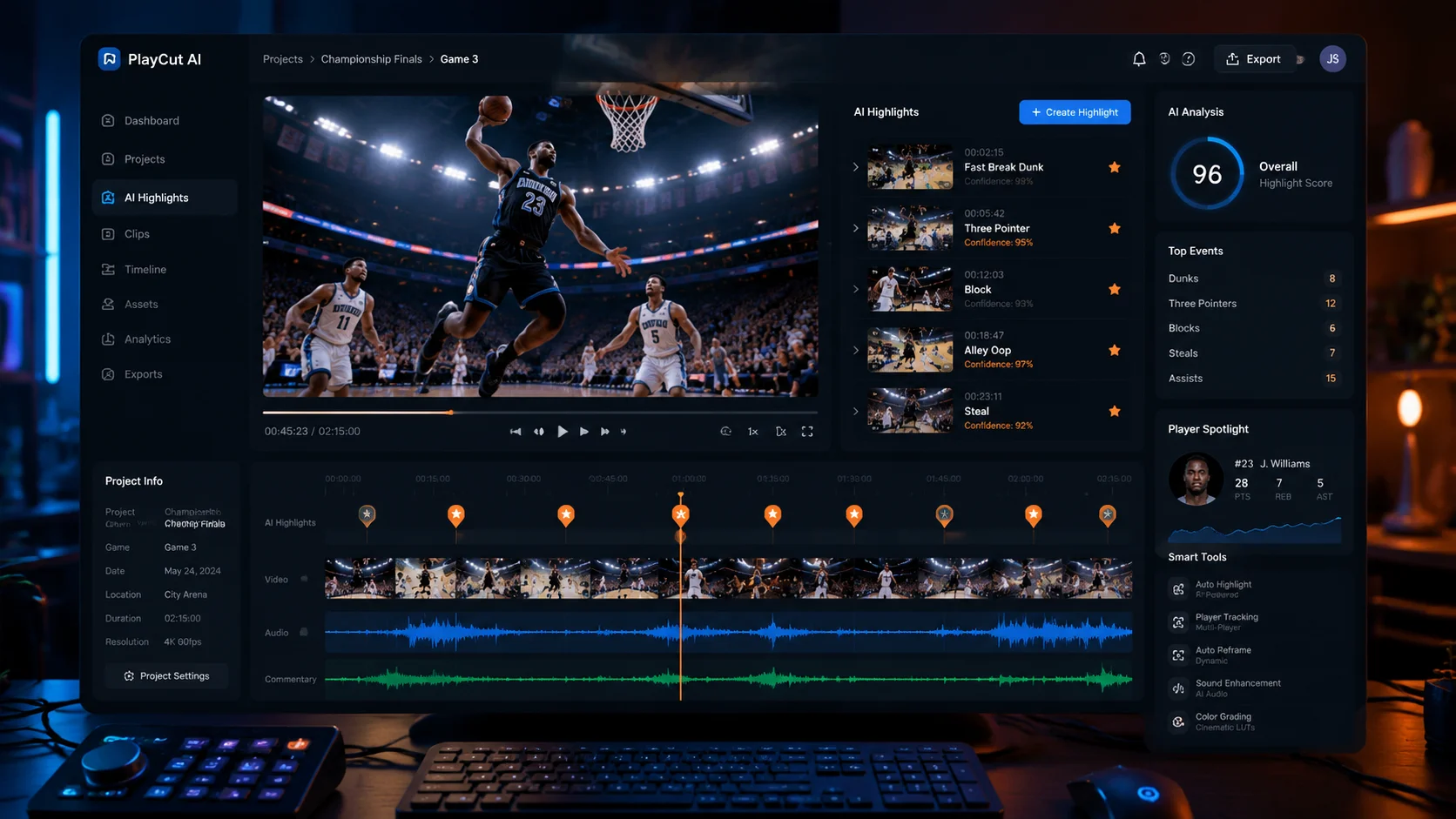
Sports organizations at every level are drowning in footage. A single basketball game can produce two hours of recording. A weekend tournament generates enough video to fill a hard drive. Coaches need clips for tactical review, athletes need recruiting highlight reels, and social media teams need shareable moments before the final whistle. Traditional manual video editing cannot keep up with this demand. AI sports video editing services are changing that equation by automating the most time-consuming parts of the workflow while preserving creative control over the final output.
1. Why traditional sports editing is too slow
Manual sports editing follows a predictable bottleneck pattern. Someone watches the full game, marks timestamps, cuts clips, adds overlays, adjusts audio, and exports. For a 90-minute game, that can mean four to six hours of editing work. Multiply that across a season of 30 games and you are looking at over a hundred hours just to produce basic highlights.
- A single game replay edit can take 4-6 hours with traditional tools.
- Coaches often wait 24-48 hours for tactical clips after matches.
- Social media teams miss real-time engagement windows.
2. How AI changes the sports editing workflow
AI sports video editing services work differently. Instead of requiring a human to watch every minute, the AI processes the footage by detecting key moments: scores, turnovers, fouls, substitutions, crowd reactions, and changes in camera angle or audio intensity. It groups the video into scenes and assigns metadata tags based on what happens in each segment. An editor or coach then reviews a shortlist of candidate moments rather than scrubbing through two hours of raw recording.
3. Scene detection and action tagging
Modern AI sports editing tools go beyond simple motion detection. They can identify jersey colors, player groupings, ball movement patterns, and even scoreboard changes when those are visible in the frame. This allows the system to tag clips by action type: fast break, set piece, goal attempt, penalty, substitution, or injury timeout. A coach searching for every corner kick from the last three matches no longer needs to open six video files and scroll manually. The AI presents all relevant clips with timestamps and duration.
- AI detects play types, not just motion changes.
- Scoreboard changes and jersey colors help categorize moments.
- Tagged clips become searchable across an entire season archive.
4. Building highlight reels automatically
A highlight reel is not just a series of clips played in order. It needs pacing, transitions, music synchronization, and sometimes slow-motion replays of key moments. AI sports video editing services can assemble a first draft of a highlight reel by selecting the most visually dynamic moments, arranging them chronologically or by intensity, and syncing cuts to a music track. The result is not a final edit, but it is a working timeline that reduces manual assembly from hours to minutes.
5. Multi-format output for recruiting, social, and analysis
Different audiences need different formats. A recruiting coordinator wants a two-minute vertical reel for social media. A positional coach wants a 30-second horizontal clip of a specific defensive sequence with slow-motion on the key frame. An analyst wants timestamped breakpoints with shot charts overlaid. AI sports editing services can produce these variants from the same source project, keeping all clips connected to their original timestamps so that any version can be traced back to the raw footage.
- Recruiting reels need fast pacing and player spotlight framing.
- Coaching analysis clips need slow-motion and telestration overlays.
- Social clips need platform-optimized aspect ratios and captions.
6. What to look for in AI sports video editing services
When evaluating AI sports editing tools, focus on the parts of the workflow that actually save time. Does the tool handle your sport well? Can it read scoreboard overlays? Does it tag actions correctly for the plays that matter in your sport? Can it export to the formats you need without re-encoding everything from scratch? Also consider whether the tool keeps raw footage, tagged clips, and export projects together in one workspace, or whether you will need to manage files across multiple applications. A unified workspace reduces version confusion and makes it easier to revisit footage later in the season.
FAQ
What sports do AI video editing services support?
Most AI sports editing services work best with field and court sports where the action is contained within a single camera frame. Basketball, soccer, football, hockey, volleyball, and lacrosse are well supported. Individual sports like tennis, swimming, and track can also work when the camera coverage is consistent.
Can AI replace a human sports editor?
AI handles the sorting, tagging, and first-cut assembly that consumes the most time. Human editors still make the creative decisions about pacing, storytelling emphasis, and final polish. The partnership reduces editing time by 60-80% while keeping quality under human control.
How fast can AI process a full game?
Processing time depends on video length and resolution, but most AI sports editing platforms can analyze a 90-minute game in 15-30 minutes. The resulting tagged clips and highlight drafts are available for human review immediately after processing completes.